Have you ever copied a block of text and realized it is all in the wrong case? Maybe someone sent you content in ALL CAPS, or your pasted heading is a random mix of uppercase and lowercase letters that looks completely unprofessional.
It is incredibly frustrating. Fixing it manually, letter by letter, is a complete waste of your valuable time.
That is exactly why an online text case converter exists. It is one of those simple, no-fuss tools that quietly solves a daily formatting problem, saving you hours of tedious editing every week.
This comprehensive guide walks you through everything you need to know about text case converters. You will discover how they work, why they matter for your workflow, and why every writer, marketer, developer, and student should have one bookmarked.
What Is a Text Case Converter?
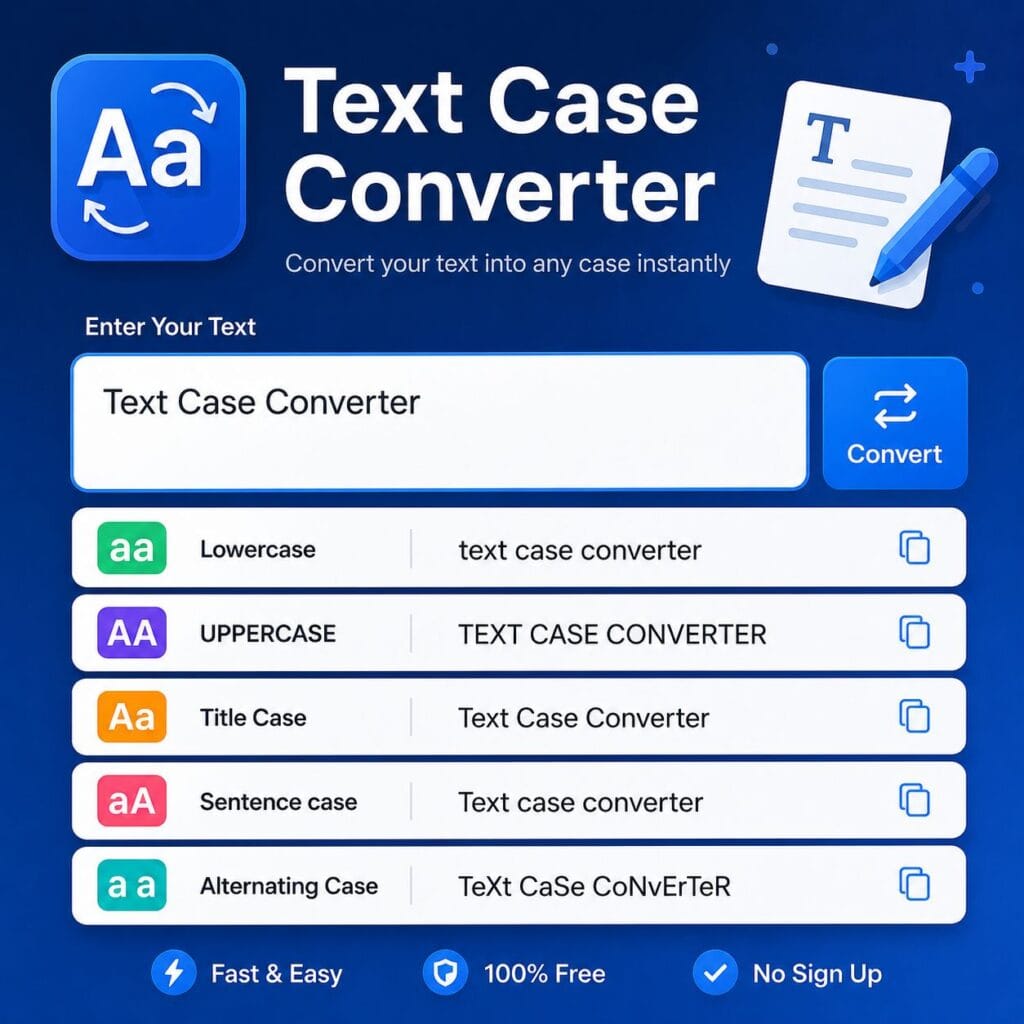
A text case converter is a free online tool that lets you instantly change the letter casing of any text. You simply paste your content into the tool, choose your desired format, and the system processes the conversion in milliseconds.
There are no downloads, no software installations, and absolutely no learning curve required.
Whether you need to convert text to lowercase, UPPERCASE, Title Case, or Sentence case, a reliable converter handles it all with a single click. It even manages specialized formats like alternating case or programming styles. While it sounds simple, the positive impact on your daily productivity is massive.
Why Does Text Case Matter So Much?
Think about how often you deal with text formatting throughout a single day. You write blog post titles, format headings in WordPress, copy content from emails, or paste research notes from PDFs. You also name files, write social media captions, and create SEO meta titles.
In every single one of these situations, incorrect text case looks careless and unprofessional.
A heading like “the best free ai tools for content creators” does not carry the same authority as “The Best Free AI Tools for Content Creators.” Similarly, an email written entirely in uppercase feels like someone is shouting at you.
Text case is a subtle detail, but it heavily shapes how readers perceive your content and how search engines understand your page structure.
Quick Tip: Google’s algorithm reads heading structure carefully. Properly formatted titles with correct casing improve readability signals, enhance user experience, and boost your on-page SEO.
Types of Text Case Formats Explained
Before diving into how to use these tools, let’s break down the most common text case formats you will use in your daily work.
1. Lowercase
All letters are converted into small letters.
Example: this is lowercase text
Best used for: Website URLs, email addresses, social media hashtags, and coding variables.
2. UPPERCASE
Every single letter becomes a capital letter.
Example: THIS IS UPPERCASE TEXT
Best used for: Acronyms, short headings, warning labels, and specific graphic design elements.
3. Title Case
The first letter of every major word is capitalized, while minor words like articles and prepositions stay lowercase.
Example: This Is Title Case Text
Best used for: Blog post titles, article headings, book names, and main subheadings in web content.
4. Sentence Case
Only the first letter of the first word is capitalized, following the standard rules of a regular sentence.
Example: This is sentence case text
Best used for: Body paragraphs, social media captions, email subject lines, and general writing.
5. Capitalize Each Word
Similar to title case, but every single word gets capitalized without exception.
Example: This Is Capitalize Each Word Text
Best used for: Stylized headings, formal invitations, and specific legal documents.
6. Alternating Case
Letters alternate strictly between upper and lower case for visual effect.
Example: tHiS Is aLtErNaTiNg cAsE
Best used for: Memes, internet humor, and informal creative content.
7. Camel Case
Words are joined together without spaces, and each new word starts with a capital letter except for the very first one.
Example: thisIsCamelCase
Best used for: JavaScript variable names, API parameters, and standard programming conventions.
8. Snake Case
Words are separated by underscores instead of spaces, and all letters remain lowercase.
Example: this_is_snake_case
Best used for: Python variables, database columns, file names, and URL slugs.
Who Needs a Text Case Converter?
This is not just a tool for writers. A wide variety of professionals and creators rely on a text formatting tool to streamline their workflows every day.
Content Writers and Bloggers: When writing multiple articles a week, manually fixing headings, subheadings, and titles becomes tedious. A case converter makes your formatting instant and uniform.
SEO Specialists and Digital Marketers: Title case and sentence case matter immensely for meta titles, meta descriptions, and open graph tags. Keeping this consistent across dozens of landing pages is effortless with a web-based converter.
WordPress Developers and Webmasters: When you import, migrate, or scrap content, text often loses its original formatting. A quick paste into a case changer fixes everything before the content goes live on your site.
Students and Academic Writers: Research papers, thesis headings, and citations require strict capitalization based on specific style guides like APA, MLA, or Chicago. A case converter ensures you meet these academic standards accurately.
Social Media Managers: Captions, hashtags, and ad copy need consistent casing to protect brand integrity. A converter saves time when you are managing multiple platform schedules.
Developers and Programmers: Switching between camelCase, snake_case, and PascalCase is a daily requirement in software development. A dedicated tool handles these transformations in one click.
How to Use a Text Case Converter Step by Step
Using a text case converter is one of the easiest ways to optimize your workflow. Here is exactly how it works:
Step 1: Open the tool. Head over to the free Case Converter tool on AIToolPower. It runs directly in your web browser with zero signup required.
Step 2: Paste your text. Copy the messy or incorrectly formatted text from your source document and paste it right into the input box.
Step 3: Choose your format. Click on the specific case style you need for your project, such as lowercase, UPPERCASE, Title Case, or Sentence case.
Step 4: Copy the result. Your newly converted text appears instantly in the box. Click copy and paste it directly into WordPress or your document.
There are no intrusive ads blocking your view and no forced account creation prompts. You get fast, clean results instantly.
Text Case Converter vs. Manual Editing
Let us look at what manual text case editing actually requires.
You have to highlight a word, right-click, and look for a hidden change case option. In many web applications, that option does not even exist. In Microsoft Word, you get a few basic choices, while in Google Docs, the formatting menu buries the feature several clicks deep.
If you are working outside of a traditional word processor, such as in a CMS, a social media scheduler, or a code editor, you have no built-in options at all. You are forced to manually delete and retype the text.
An online text case converter eliminates this friction entirely. It works seamlessly alongside any software, platform, or workflow.
The SEO Connection: Why Text Casing Affects Your Rankings
Many creators are surprised to learn that text casing has a direct impact on search engine optimization and user engagement.
Headings and Title Case Signals: Search engines analyze your H1, H2, and H3 headings to understand topic relevance. Headings that use proper Title Case are parsed more cleanly by search crawlers. Inconsistent or random capitalization reduces readability signals for both users and algorithms.
Meta Titles and Descriptions: Your meta title is your first impression in Google search results. The industry standard for meta titles is either Title Case or Sentence case. Properly formatted titles achieve higher click-through rates, which serves as a positive ranking signal to search engines.
URL Slugs: Website URLs should always be entirely lowercase with hyphens separating words. Using uppercase letters in URLs can cause server configuration issues, duplicate content penalties, and crawling confusion. A lowercase converter ensures your URL slugs are flawless.
Brand Consistency: From your blog posts to your social media bios, uniform text formatting builds user trust. Google’s E-E-A-T framework rewards websites that display high editorial standards, and clean formatting is a core part of that presentation.
Using a Text Case Converter With Other Free SEO Tools
A text case converter works best when integrated into a broader content production workflow. At AIToolPower, you can pair it with a full suite of free tools designed to optimize your text:
- Word Counter: After formatting your text, instantly check your word count and reading time using the free Word Counter tool.
- SEO Title Checker: Once your headline is in Title Case, run it through the SEO Title Checker to ensure it stays within the ideal 60-character limit.
- Meta Description Checker: Format your snippets in Sentence case, then verify your character boundaries using the meta checker tool.
- Text Analyzer: After organizing your content, analyze keyword density and structural health using the Text Analyzer on AIToolPower.
All of these utilities are browser-based, free to use, and require no registration. You can explore the entire library on the AIToolPower Free Tools page.
Common Mistakes People Make With Text Casing
Even experienced writers make mistakes with formatting. Here are the most common text case errors and how to avoid them:
Using ALL CAPS in Body Text: Writing in all caps is the digital equivalent of shouting. It strains the reader’s eyes, lowers content readability, and drives visitors away from your page.
Inconsistent Heading Styles: Switching between Title Case and sentence case within the same article confuses your audience and signals poor editorial quality. Choose one style guide and maintain it across all headings.
Capitalizing Letters in URLs: URLs containing capital letters often trigger accidental redirect loops or broken links. Always convert your web slugs to lowercase before publishing them live.
Wrong Casing in Source Code: Programming languages are highly case-sensitive. If your project convention calls for camelCase but you type in snake_case, your code will throw errors. A case converter helps developers stay fully compliant.
Voice Search and Text Case Optimization
With the continuous growth of voice search, the way people ask questions online influences how content must be written. When a user asks their smartphone a question out loud, search engines look for content that answers them in natural, highly readable prose.
Using sentence case in your body content perfectly mirrors natural speech patterns. This increases the likelihood of your paragraphs being selected for featured snippets or voice assistant answers.
According to search performance data shared by Moz, one of the world’s leading SEO authority sites, structural on-page formatting remains a critical factor in search visibility. Proper heading capitalization and clean layout presentation directly correlate with better user retention and higher rankings.
FAQ: Text Case Converter Questions Answered
What is a text case converter used for?
A text case converter changes the capitalization style of any text block. It allows you to transform text into lowercase, uppercase, title case, sentence case, camelCase, or snake_case instantly without manual retyping.
Is this online case converter free to use?
Yes, the case converter on AIToolPower is completely free. There are no subscriptions, hidden fees, or account registration requirements. You can use it as often as needed.
Can I use a text case converter for programming languages?
Yes. Software developers frequently use case converters to switch between naming conventions like camelCase, snake_case, and PascalCase when writing code for JavaScript, Python, or CSS.
Does text casing have an impact on SEO?
Yes. Proper title case in your headings and sentence case in your content layout improves readability and user experience. Lowercase formatting in URLs also prevents indexing issues.
How do I convert text to title case online?
Simply visit AIToolPower’s free Case Converter, paste your raw text into the input field, and click the Title Case button to transform your text instantly.
What is the difference between title case and sentence case?
Title Case capitalizes the first letter of every major word in a phrase. Sentence case only capitalizes the very first letter of the first word in a sentence, matching standard grammar rules.
Can I convert an entire article at one time?
Yes. The text case converter is built to handle text blocks of any length. You can paste a single sentence or a multi-page article into the tool and convert it all at once.
Conclusion: Streamline Your Content Workflow Today
Text formatting seems like a minor detail until you are stuck editing a massive document right before a critical project deadline.
An online text case converter is a highly practical utility that saves time, eliminates formatting errors, and ensures your writing looks pristine across every digital channel. Whether you are a blogger polishing web copy, a programmer formatting variables, or a student balancing citation styles, this tool belongs in your daily toolkit.
You do not need to install complex software or pay for a premium subscription.
Head over to AIToolPower’s free tools collection to start formatting your content in seconds. Take a moment to explore the rest of the SEO and text tools built to make your digital workflow faster, cleaner, and smarter.