Let me be honest with you for a second.
When I first started exploring AI tools, I was completely overwhelmed. There were hundreds of them. Everyone online was claiming theirs was the “best.” Half of them required expensive subscriptions. And most of them? They sounded impressive but delivered very little in real-world use.
Sound familiar?
The truth is, finding the best AI tools that genuinely fit your workflow — without burning a hole in your pocket — takes a lot of trial and error. I’ve done that work for you.
In this guide, you’ll find a carefully selected list of AI tools across the most important categories: writing, SEO, image generation, productivity, and more. Whether you’re a blogger, freelancer, student, marketer, or small business owner — there’s something here that will actually make your life easier.
Let’s get into it.
What Makes an AI Tool Worth Using?
Before we dive into the list, let’s set a clear standard. Not every tool with “AI” in its name deserves your attention.
A genuinely useful AI tool should:
- Save you real time — not just automate something you could do in 10 seconds anyway.
- Produce reliable, usable output — not require heavy editing every single time.
- Be accessible — ideally free or affordable, with no forced subscriptions upfront.
- Work without a steep learning curve — you shouldn’t need a tutorial just to get started.
- Integrate into your existing workflow — whether that’s WordPress, Google Docs, or your browser.
With that benchmark in mind, here are the best AI tools worth using in 2026.
Best AI Tools for Writing and Content Creation
Writing is where AI has made the biggest impact. Whether you’re writing blog posts, product descriptions, emails, or social media content — these tools genuinely speed things up.
ChatGPT (OpenAI)
ChatGPT needs no introduction at this point. It’s arguably the most versatile AI writing assistant available. You can use it for brainstorming ideas, drafting outlines, writing full articles, answering questions, and even debugging code.
The free version (GPT-4o) is genuinely powerful. The paid version gives you faster responses and access to additional features like image generation and browsing.
- Best for: General writing, research, brainstorming, coding help, and summarization.
Claude (Anthropic)
Claude has quietly become one of the best AI tools for long-form writing. It handles nuance well, produces natural-sounding text, and is excellent at following detailed instructions. If you’ve ever felt like ChatGPT’s output sounds a little robotic, Claude often feels more human.
- Best for: Long-form content, detailed writing tasks, summarizing documents, and natural dialogue.
Jasper AI
Jasper is built specifically for marketing teams and content creators. It has pre-built templates for blog posts, ads, email campaigns, and social media. If you need a content production machine for a business, Jasper is hard to beat.
- Best for: Marketing copy, brand content, and teams with high content volume.
Copy.ai
Copy.ai is a solid option for short-form content. Product descriptions, taglines, email subject lines, ad copy — it handles all of these quickly and cleanly. The free plan is surprisingly generous too.
- Best for: Short marketing copy, e-commerce product descriptions, and quick content drafts.
Best AI Tools for SEO and Digital Marketing
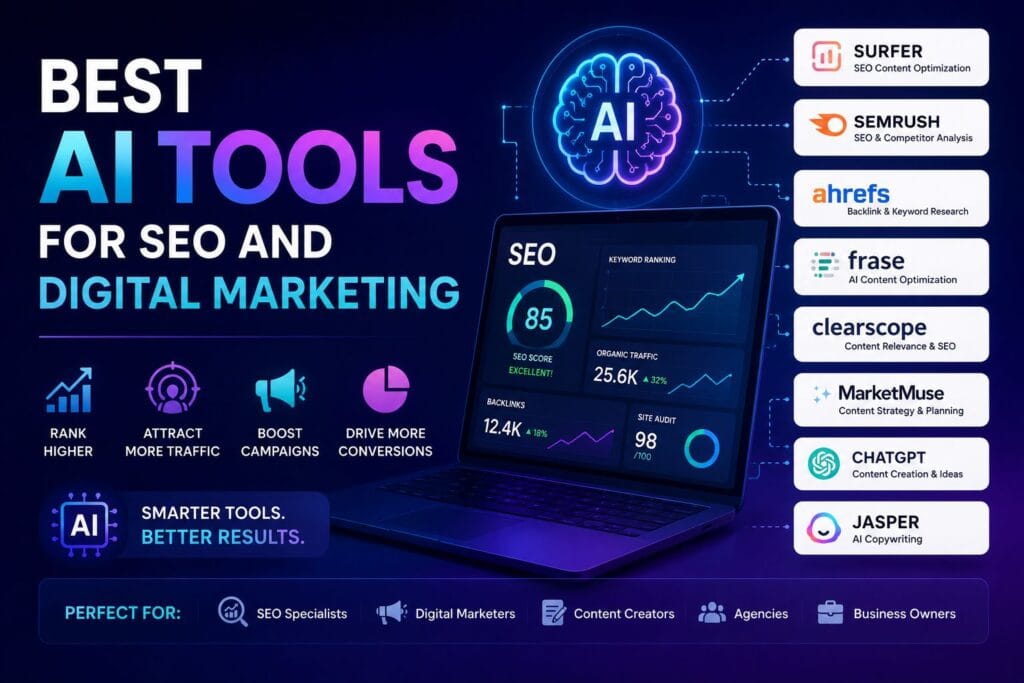
SEO is constantly evolving, and AI has become an essential part of keeping up. These tools help you research keywords, optimize content, and improve your rankings.
Surfer SEO
Surfer SEO analyzes the top-ranking pages for any keyword and gives you a detailed content brief — including recommended word count, keywords to include, headings to use, and more. It takes a lot of the guesswork out of on-page SEO.
- Best for: Content optimization, keyword planning, and NLP-based SEO scoring.
Semrush with AI Features
Semrush has integrated AI features into its platform for keyword research, content writing assistance, and competitor analysis. If you’re serious about SEO, Semrush is one of the most comprehensive platforms out there.
- Best for: Full SEO audits, competitor research, backlink analysis, and keyword discovery.
RankMath SEO (for WordPress)
If your site runs on WordPress — like AIToolPower does — RankMath is one of the best AI-assisted SEO plugins available. Its AI-powered content analysis helps you optimize every article before publishing, including focus keyword usage, readability scores, and schema markup.
- Best for: WordPress users who want on-page SEO automation built directly into their CMS.
AIToolPower Free SEO Tools
For quick, no-signup SEO tasks, the free SEO tools on AIToolPower are genuinely useful. The SEO Title Checker, Meta Description Checker, Word Counter, and Text Analyzer are all browser-based — no login, no cost. Perfect for writers and bloggers who need fast results without committing to a paid platform.
- Best for: Quick SEO checks, title optimization, meta description formatting, and keyword density analysis.
Best AI Tools for Image Generation
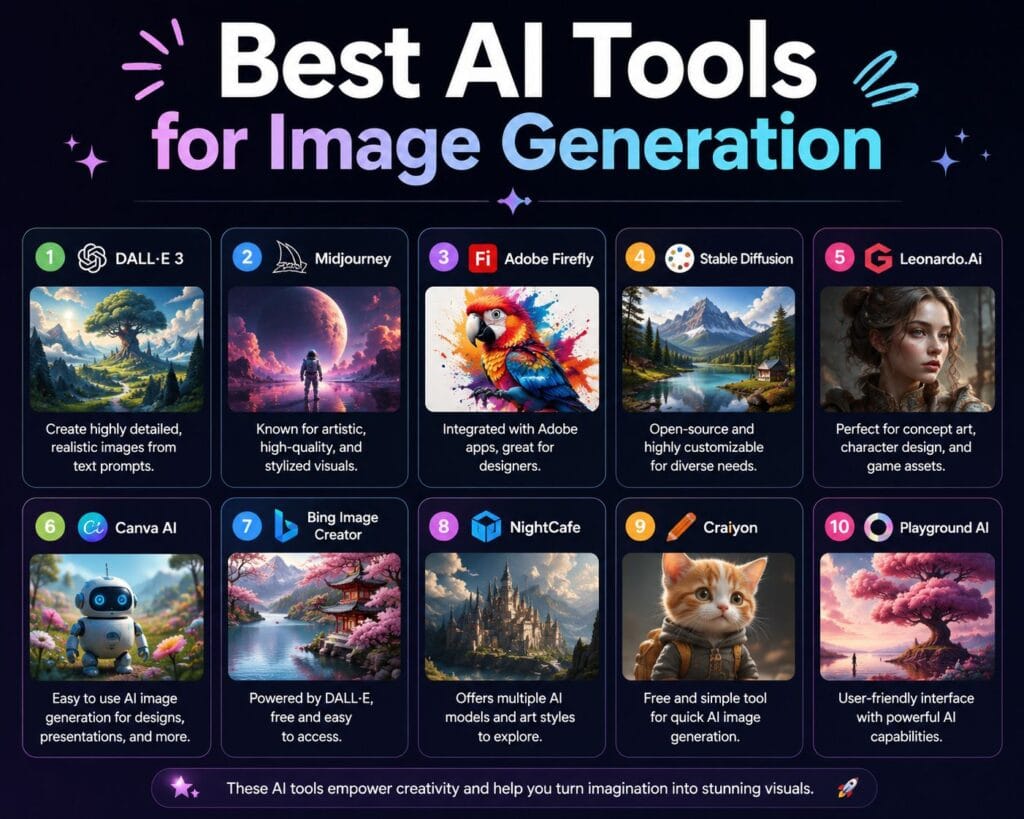
Visual content is more important than ever in 2026. These AI image generators have changed how designers, bloggers, and marketers create visuals.
Midjourney
Midjourney produces some of the most visually stunning AI-generated images available. The level of detail, artistic quality, and stylistic range is exceptional. It runs through Discord, which takes a little getting used to — but the output is worth it.
- Best for: High-quality artistic images, concept visuals, and brand photography alternatives.
DALL·E 3 (OpenAI)
DALL·E 3 is integrated directly into ChatGPT, making it easy to generate images as part of your workflow. It’s particularly good at following detailed text prompts and generating images that match specific compositions.
- Best for: Quick image generation, blog featured images, and social media graphics.
Adobe Firefly
Adobe Firefly is Adobe’s AI image generator, built directly into tools like Photoshop and Express. What makes it stand out is that it’s trained on licensed content — making it safer to use commercially than some alternatives.
- Best for: Professional designers, content teams, and anyone already using Adobe products.
Canva AI (Magic Studio)
Canva’s Magic Studio brings AI features into an already popular design tool. You can generate images, remove backgrounds, resize designs, and write copy — all in one place. For non-designers, this is probably the most accessible AI image tool available.
- Best for: Social media graphics, presentations, marketing materials, and non-technical users.
Best AI Tools for Productivity and Automation
Beyond writing and design, AI is transforming how we manage our time, tasks, and workflows.
Notion AI
Notion AI brings writing and organization together in a single workspace. You can draft notes, summarize meeting transcripts, create action items, and write content — all inside your existing Notion workspace.
- Best for: Personal productivity, team collaboration, project management, and note-taking.
Zapier with AI Features
Zapier connects thousands of apps together and automates repetitive tasks. With AI features added, it can now write automation logic in plain English — you describe what you want to happen, and Zapier builds the workflow.
- Best for: Workflow automation, app integration, and eliminating repetitive manual tasks.
Otter.ai
Otter transcribes audio in real time. Meeting notes, interviews, podcast recordings, voice memos — it captures everything and generates searchable, shareable transcripts automatically.
- Best for: Meeting transcription, interview notes, content repurposing from audio, and accessibility.
Grammarly with AI
Grammarly has evolved well beyond grammar checking. Its AI features now offer tone suggestions, rewriting assistance, full sentence rewrites, and even email drafting. The free version is genuinely useful. The premium tier is one of the better investments for frequent writers.
- Best for: Editing and proofreading, tone adjustment, email writing, and professional communication.
Best Free AI Tools You Can Use Right Now (No Signup Required)
Not everyone wants to create an account or start a free trial just to try something. Here are AI-powered tools you can use immediately — completely free and in your browser.
AIToolPower Free Tool Suite
AIToolPower offers a growing collection of free, browser-based tools built specifically for writers, bloggers, and digital marketers. Tools include:
- Word Counter — count words, characters, sentences, and reading time instantly.
- SEO Title Checker — optimize your page titles within the 60-character limit.
- Case Converter — convert text between uppercase, lowercase, title case, and sentence case.
- Meta Description Checker — ensure your meta descriptions stay within the ideal 150–160 character range.
- Text Analyzer — analyze keyword density, paragraph count, and content structure.
You can access all of these on the AIToolPower Free Tools page — no account, no subscription, no credit card.
If you’re a content creator or blogger, these tools pair perfectly with your AI writing workflow. Write with an AI assistant, then polish and optimize with these free utilities before you hit publish.
How to Choose the Right AI Tool for Your Needs

With so many options, it’s easy to end up with five different subscriptions that all do slightly different versions of the same thing. Here’s a simple framework to narrow it down.
Step 1: Define Your Main Use Case
Are you primarily writing content? Optimizing for SEO? Creating visuals? Managing tasks? Start with one area and pick the best tool for that specific job. Don’t try to solve every problem at once.
Step 2: Start With Free Versions
Almost every major AI tool has a free tier. Use it seriously before you pay for anything. If the free version isn’t solving your problem, the paid version probably won’t either.
Step 3: Evaluate Output Quality
Don’t just test the tool on easy prompts. Give it something that reflects your actual work. If the output requires heavy editing every time, it’s not actually saving you time — it’s just shifting where the effort goes.
Step 4: Check for Integration
Does it work with the tools you already use? A great AI writing tool that doesn’t integrate with WordPress, Google Docs, or your CMS adds friction instead of removing it.
Step 5: Watch Your Subscription Costs
AI tool subscriptions add up quickly. Be intentional about which ones you actually use regularly. A $20/month tool you use daily is worth it. A $30/month tool you use once a week probably isn’t.
AI Tools and the Future of Content Creation
It’s worth pausing to talk about where things are heading.
AI tools aren’t replacing good writers, designers, or marketers. What they’re doing is raising the baseline. Someone with strong skills and the right AI tools can now produce in one day what used to take a week.
That means the gap between fast, mediocre content and genuinely excellent content is actually widening — not closing. AI makes it easier to produce a lot. It doesn’t make it easier to produce something truly valuable.
According to Google’s Search Quality Evaluator Guidelines, what matters most for ranking is E-E-A-T: Experience, Expertise, Authoritativeness, and Trustworthiness. AI tools can help you write faster. They can’t replace the genuine expertise and first-hand experience that makes content worth reading — and worth ranking.
Use AI as a collaborator, not a replacement. That’s when it becomes genuinely powerful.
AI Tools for Writers: Humanizing AI Output
One topic that comes up constantly in 2026 is AI detection. Many platforms, professors, and editors now use AI detection tools to flag content that reads as machine-generated.
If you’re using AI tools in your writing workflow, it’s worth understanding how to make the output sound more natural and human. Small things matter — varying sentence length, using first-person voice, adding personal observations, and not over-structuring content.
There’s also a dedicated tool for this on AIToolPower. The free AI to Human Text Converter helps you transform AI-generated text into more natural, human-sounding writing without losing the core message.
It’s a genuinely useful step to add at the end of any AI-assisted writing workflow.
Comparing the Best AI Tools: Quick Reference
| Tool | Category | Free Plan | Best For |
|---|---|---|---|
| ChatGPT | Writing/General | ✅ Yes | Versatile writing & research |
| Claude | Writing | ✅ Yes | Long-form, natural content |
| Midjourney | Image Generation | ❌ Limited | High-quality artistic images |
| DALL·E 3 | Image Generation | ✅ Yes (via ChatGPT) | Quick image generation |
| Surfer SEO | SEO | ❌ Paid | Content optimization |
| RankMath | SEO (WordPress) | ✅ Yes | On-page SEO for WP sites |
| Grammarly | Writing/Editing | ✅ Yes | Proofreading & tone |
| Notion AI | Productivity | ✅ Limited | Notes, planning, writing |
| AIToolPower Tools | SEO/Text Utilities | ✅ Yes | Free web-based text & SEO tools |
FAQ: Best AI Tools Questions Answered
What are the best AI tools for beginners?
For beginners, ChatGPT and Canva AI are the easiest starting points. ChatGPT handles writing, research, and answering questions. Canva AI handles design without any technical skills. For free browser-based SEO and text tools, AIToolPower is a great beginner-friendly option.
What is the best free AI tool for writing?
ChatGPT’s free tier (GPT-4o) is currently the most capable free AI writing tool. Claude also offers a strong free plan with excellent long-form writing ability. For quick content optimization after writing, the free tools on AIToolPower are highly practical.
Are AI tools safe to use for business content?
Yes, with some caution. Always review and edit AI-generated content before publishing. Verify facts independently. And use tools like Grammarly or a human editor to ensure the final output reflects your brand voice and standards. Avoid publishing raw AI output without any human review.
Do AI tools replace writers and designers?
No — and this is an important distinction. AI tools significantly speed up the work of skilled writers and designers. They don’t replace the judgment, creativity, and expertise that makes work genuinely good. Think of them as very capable assistants, not replacements.
What is the best AI tool for SEO content?
For full SEO content strategy, Surfer SEO and Semrush are the most comprehensive. For free and quick SEO tasks — title checking, meta description formatting, word count, keyword density — the AIToolPower free SEO tools cover the basics without any cost.
How do I know which AI tools are worth paying for?
Start with the free version of any tool and use it seriously for at least two weeks. If it’s consistently saving you time and producing usable output, the paid version is likely worth it. If you’re spending more time correcting it than you would writing from scratch, move on.
Can I use multiple AI tools together?
Absolutely — and most professionals do. A common workflow: use ChatGPT to draft content, Grammarly to proofread and adjust tone, Surfer SEO to optimize for keywords, and AIToolPower’s free tools to check title length and meta descriptions before publishing.
Conclusion: The Best AI Tools Help You Work Smarter, Not Harder
After everything we’ve covered, here’s the honest bottom line.
The best AI tools are the ones that fit your specific workflow, produce output you can actually use, and save you more time than they consume. That’s a personal equation — there’s no universal answer.
What matters most is being intentional. Don’t adopt every new tool that launches. Pick two or three that genuinely serve your needs. Use them consistently. And always bring your own judgment, expertise, and voice to the final output.
If you’re looking for a smart starting point, explore the free AI-powered tools on AIToolPower. From SEO utilities to text formatting and content analysis — everything is free, browser-based, and ready to use without any signup.
And if you want to go deeper on specific tools and use cases, check out the AIToolPower blog for regularly updated guides, comparisons, and tutorials.